The keyboard built for foldables.
Honeycomb keys that put space right under your thumbs, an automatic split layout when you unfold, swipe gestures for everything, and autocorrect that knows where your finger actually landed.
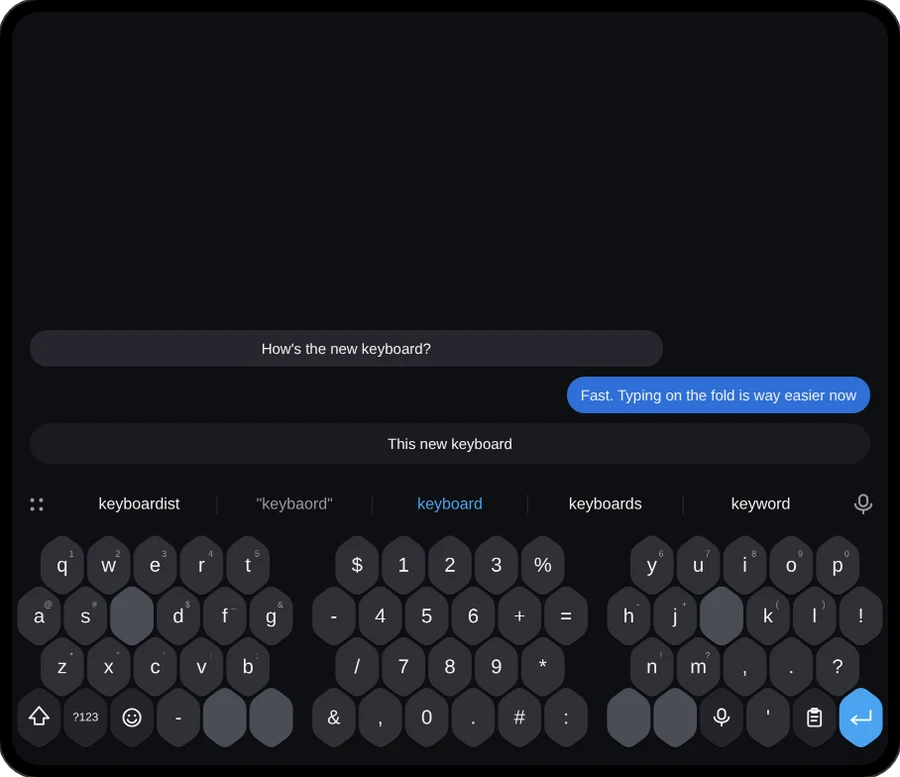
Fast, smart, and yours alone.
Everything runs on your phone. FoldBoard has no internet permission, so what you type, what it learns and what you copy never leave the device.
Honeycomb layout
Hexagon keys with blank space keys inside the letters, so your thumbs barely travel. Classic keys if you prefer.
Splits when you unfold
Folded: one compact keyboard. Unfolded: two halves at the screen edges, near your thumbs, with numbers in the middle.
Swipe for everything
Capitals, symbols, deleting, undoing a delete, moving the cursor and selecting text: no tiny keys to aim for.
Autocorrect that gets it
Uses where you touched, not just which key. Learns your names and slang. One delete undoes any correction.
Voice that keeps listening
Dictate through pauses, see words as you speak, say "comma" or "new line". On-device when your phone supports it.
Resize it your way
Drag handles for height, width and position, saved separately for folded and unfolded. Five layouts, themes and accents.
On the cover screen.
The same honeycomb, tuned for one compact screen.
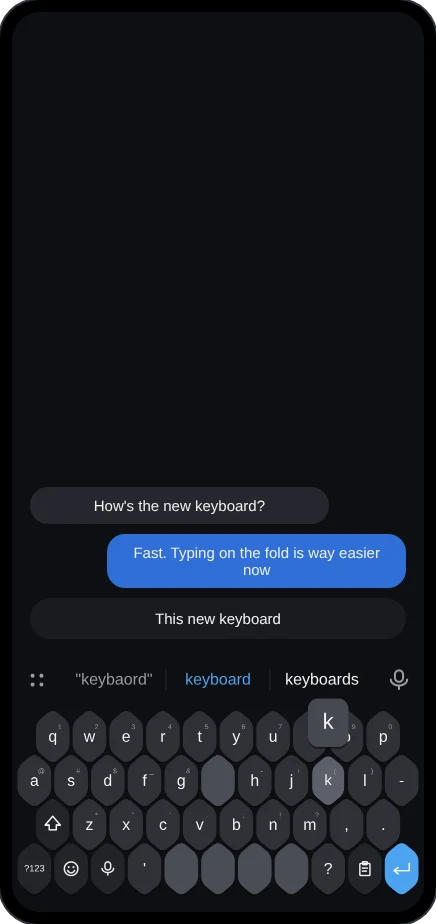
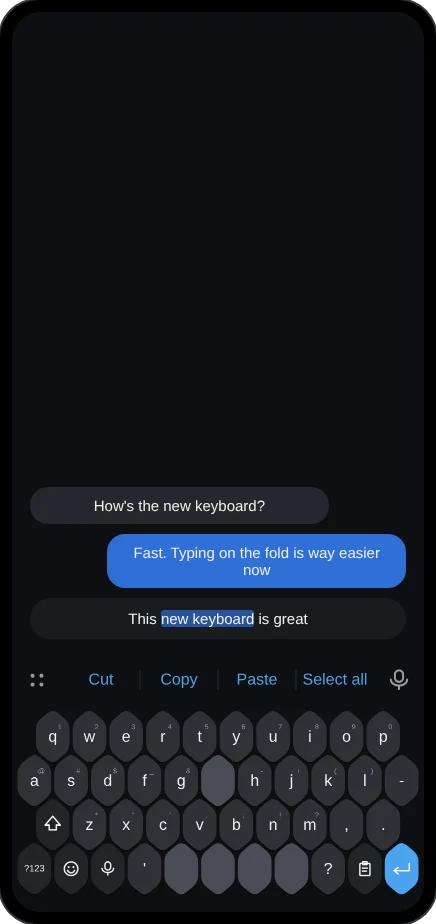
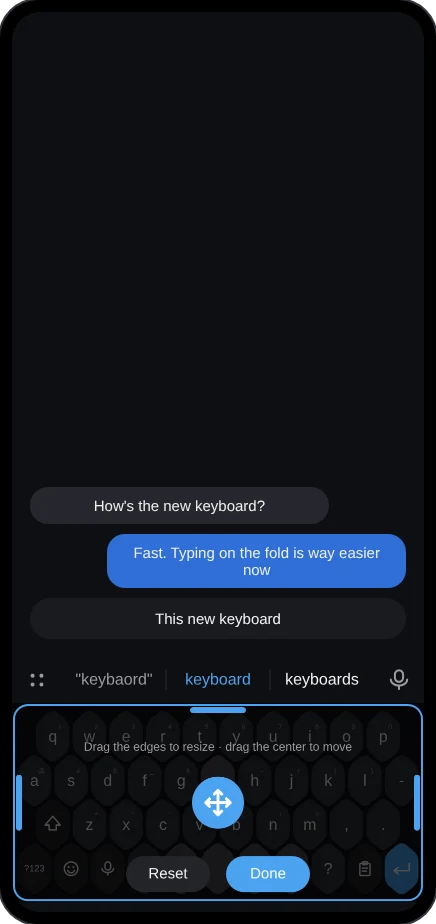
Gestures you'll use every day.
No backspace key needed. Every gesture can be turned off in settings.
Install in a minute.
FoldBoard isn't on the Play Store yet, so Android will ask you to confirm the install.
- Download the APK on your phone and open it from your notifications or the Downloads folder.
- Allow the install when Android asks about unknown apps. If Play Protect shows a warning, tap More details → Install anyway.
- Open FoldBoard and follow Get started: turn it on, make it your keyboard, and allow the microphone for voice typing.
Previews on this page are drawn from FoldBoard's real layout engine. Updates install over the previous version.